Quick Guide: How to disable personal device enrollments in Microsoft Intune

Many times, I've seen companies actively managing personal devices in Microsoft Intune, sometimes intentionally, but most of the time, accidentally without the user's knowledge. My personal stance on the subject is simple: don't fully manage a device that isn't yours.
To solve this issue, I wrote a quick and easy guide for you on how to disable personal device enrollments by configuring enrollment restrictions in Microsoft Intune.
The guide will cover the following sections:
- Configure Enrollment Restrictions policy
- User experience
- Important: How to corporately enroll a device
Configure Enrollment Restrictions policy
To disable personal device enrollment in Microsoft Intune, please follow the following steps;
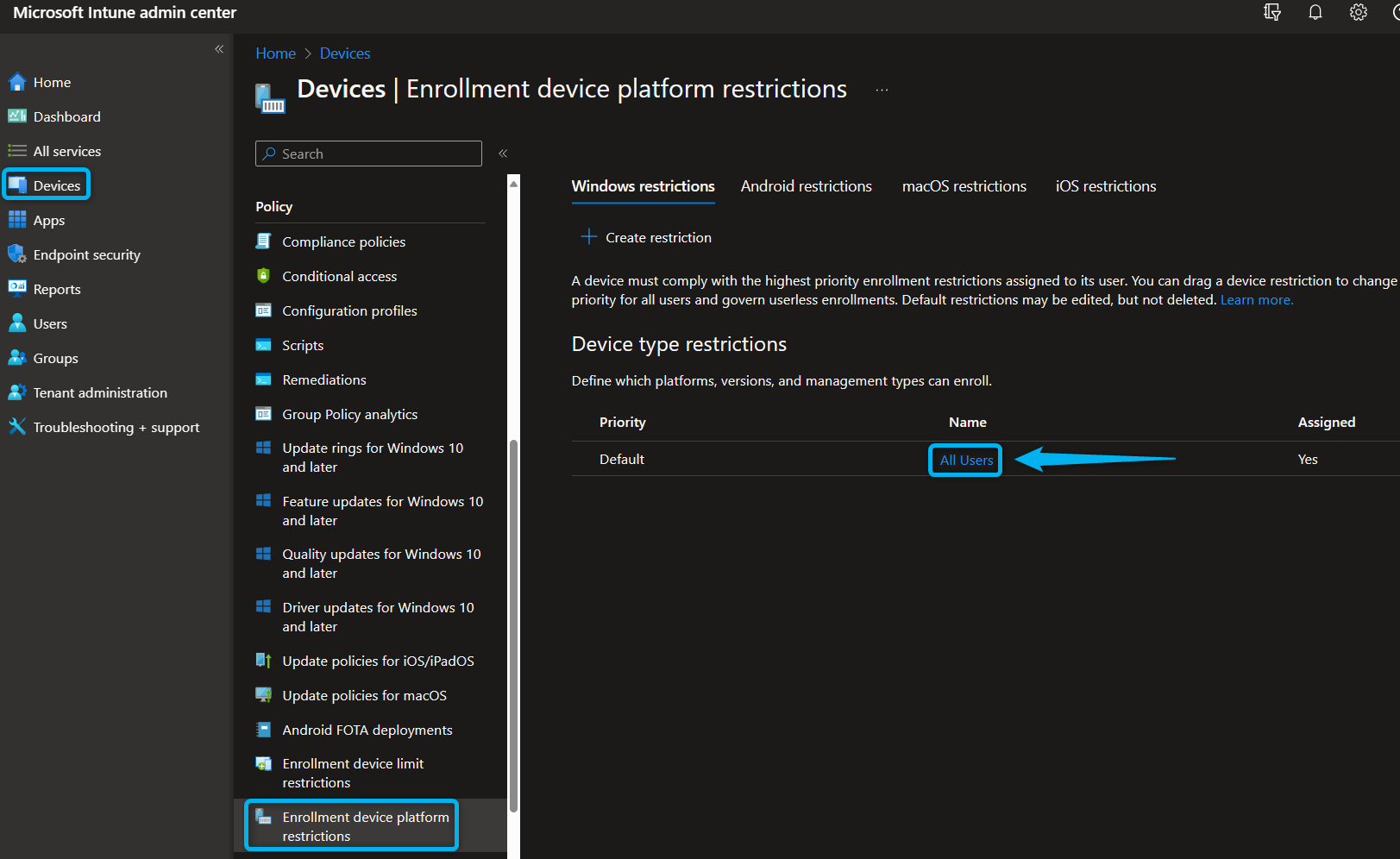
- Navigate to the Microsoft Intune admin center and go to the "Devices" page.
- Next, go to the "Enrollment device platform restrictions" policy page and click on the "All Users" policy to change the global policy or create a new one to disable device enrollments for a specific user group.
- Lastly, select the "Block" setting for all device platforms or individual platforms if preferred and "Save" the policy.
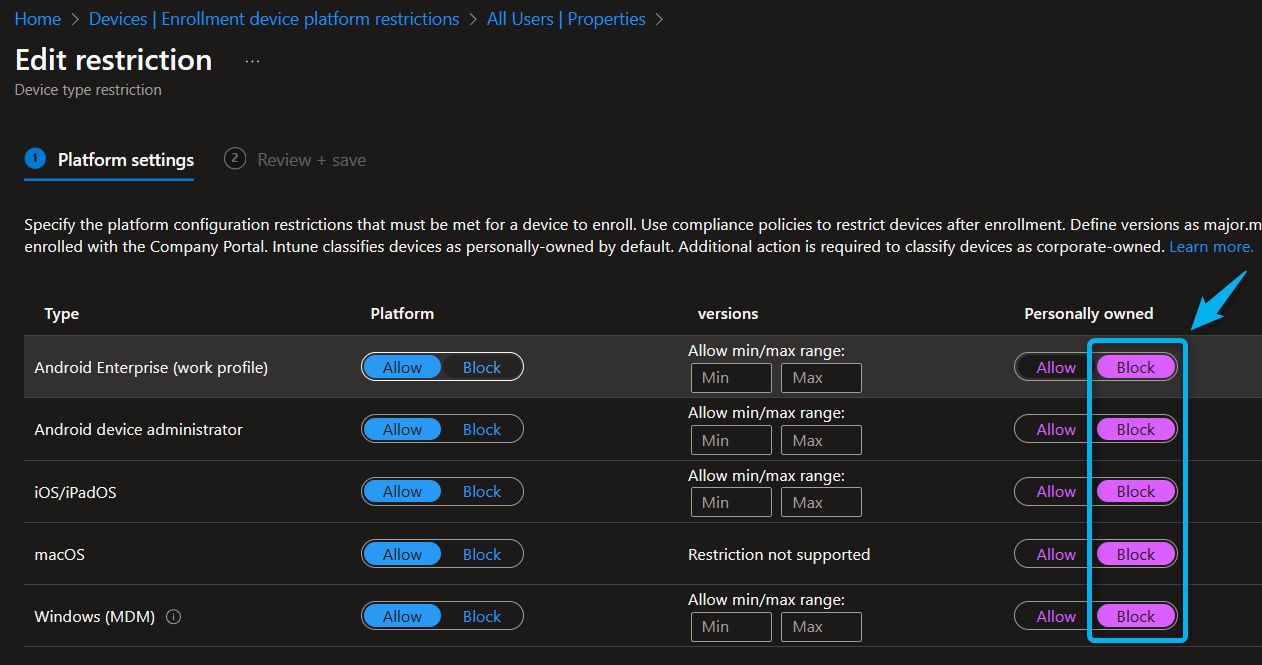
Keep in mind that personally-owned devices that were previously enrolled will remain enrolled until you remove or retire them from the Microsoft Intune device overview.
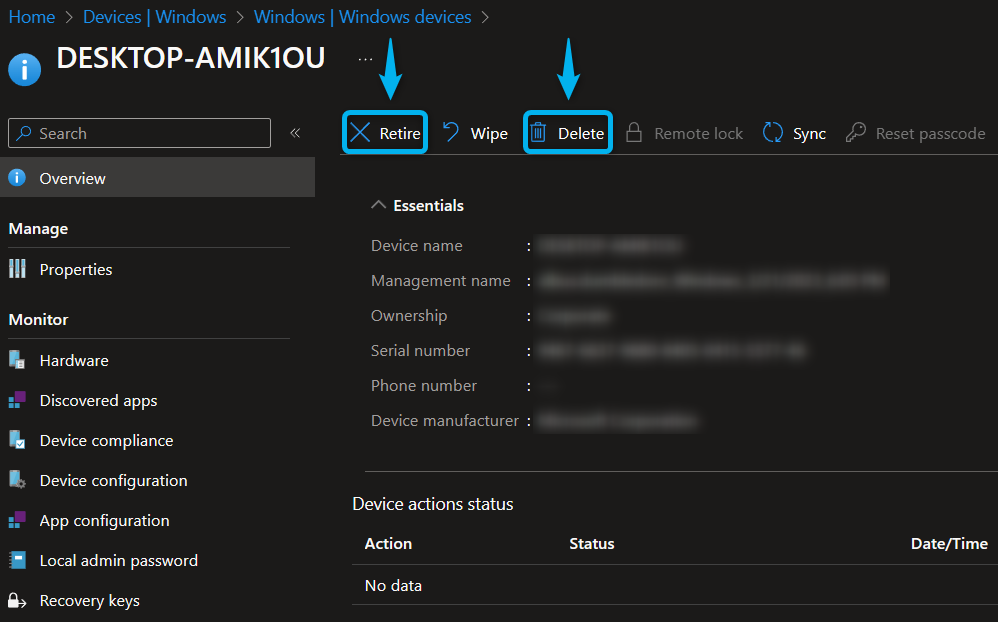
Congratulations, you have successfully prevented users from enrolling personal devices in Microsoft Intune.
User experience
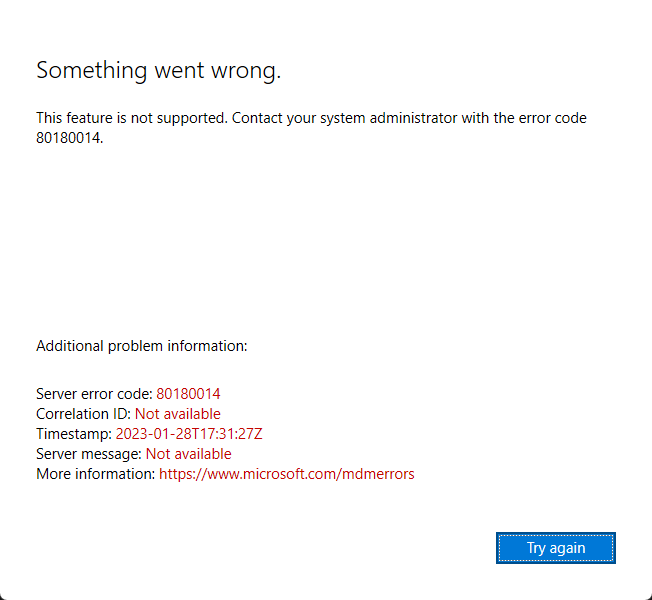
If users try to enroll their personal device (accidentally or intentionally), they will receive an error message, like the Windows error message below.
Important: How to corporately enroll a device
After configuring the enrollment device platform restrictions policy, administrators must use an authorized method to corporately enroll a new device in Microsoft Intune.
For Windows devices, corporate device enrollments are available through;
- Windows Autopilot
- Group Policy or Configuration Manager
- Bulk Provisioning Package
- An administrator using a Device Enrollment Manager Account
Secondly, for MacOS or iOS/iPadOS devices, corporate device enrollments are available through;
- Automated Device Enrollment, Apple School Manager, or Apple Configurator (iOS/iPadOS only)
- Devices that are registered with a serial number
Lastly, for Android devices, corporate device enrollments are available through;
- Managed Google Play
- Google Zero Touch or Samsung Knox Mobile
- Devices that are registered with a serial number
If you found this post informative or have any questions, please tell me in the comment section.